Ladilala does two jobs
Ladilala puts two tools in one Windows app:
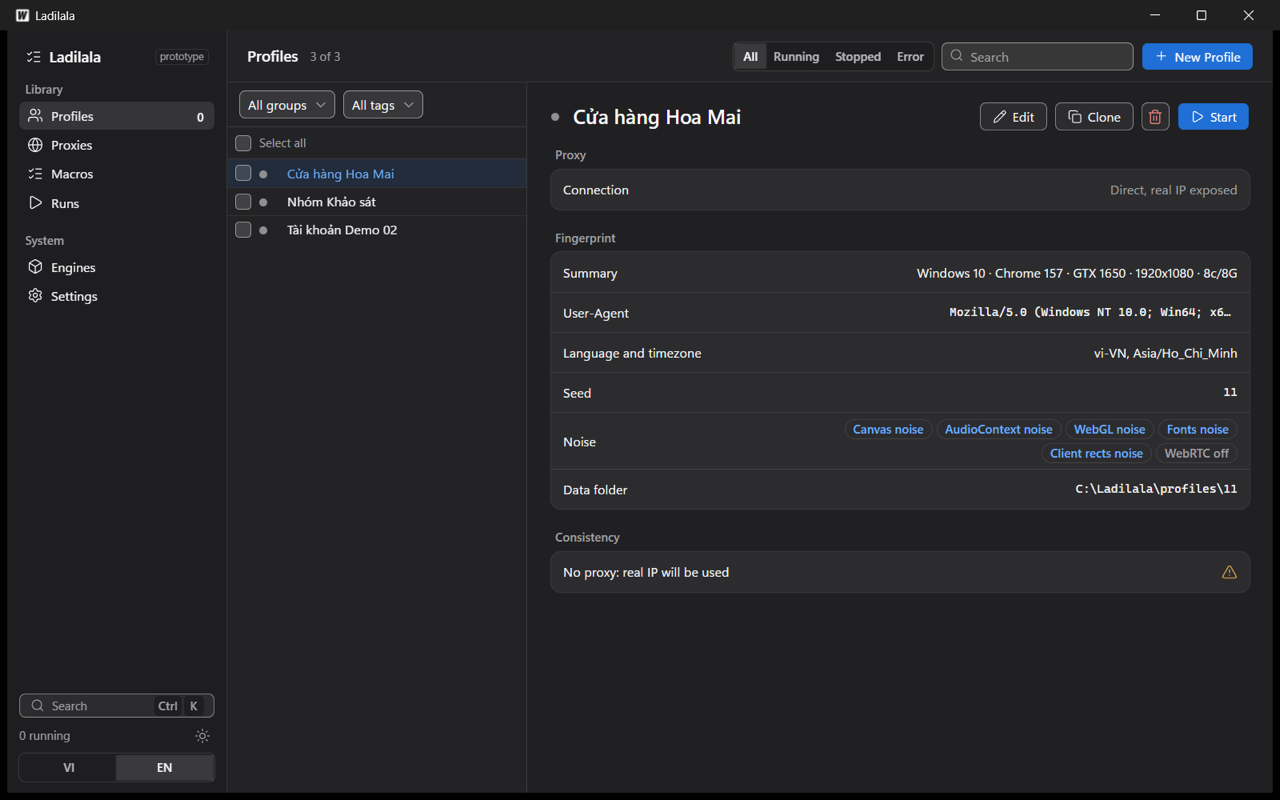
- Browser profiles: each profile is a separate browser with its own proxy, its own identity and its own saved logins. Profiles do not mix.
- Web macros: record a task in the browser once, and Ladilala repeats it for every row of your Excel, CSV, JSON or REST data. It is mostly used to fill forms.
Who it is for
Ladilala suits legitimate, repetitive work on the web:
- Shops and teams that manage several accounts of their own, such as several storefronts or customer accounts, and want one clean browser per account.
- Data entry staff who type the same web form dozens or hundreds of times from a spreadsheet.
- Operations people who want to record a web routine and replay it without writing code.
Ladilala is not meant for breaking the law or a website's rules. Each site has its own terms on automation and multiple accounts, and the user is responsible for following them.
What is in 1.1.0
Version 1.1.0 was released on 17 November 2026 for 64-bit Windows. According to the GitHub page, it includes:
- Browser profile management, each profile with its own proxy and identity.
- Recording and running web macros, reading data from Excel, CSV, JSON and REST.
- A Vietnamese interface by default, with English built in.
- An update manager: the app updates itself.
Download and install
Download from the releases page. There are two files: the installer (setup.exe, use this one first) and a portable program that needs no install.
The interface starts in Vietnamese. Switch to English inside the app.
What to know before you use it
From the project README:
- The installer files are not code-signed yet, so Windows may show a SmartScreen warning.
- Two of 71 antivirus engines on VirusTotal flag the program as a possible threat. The project says these are likely false alarms from machine-learning rules. Check the VirusTotal result and the SHA256 checksum in the release yourself.
- Windows 11 is tested. Windows 10 is not.
- Google Sheets is not supported yet. Export to CSV or Excel to use that data.
No tool can promise that a website will not detect automation. A site may ban accounts that use it, and that risk is yours.
Read next
On profiles: Managing several browser profiles for a shop or team. On macros: Filling web forms from Excel with a macro. If your repeated work is more complex, see AI automation.