The problem with one browser for every account
One browser and many accounts usually means:
- Logins on top of each other: you are in one account and click into another by mistake.
- Cookies and sessions mixing, so you log out and in again all the time.
- Several people sharing one machine with no idea who is using which account.
- No place that records which account belongs to which shop or client.
What a profile is
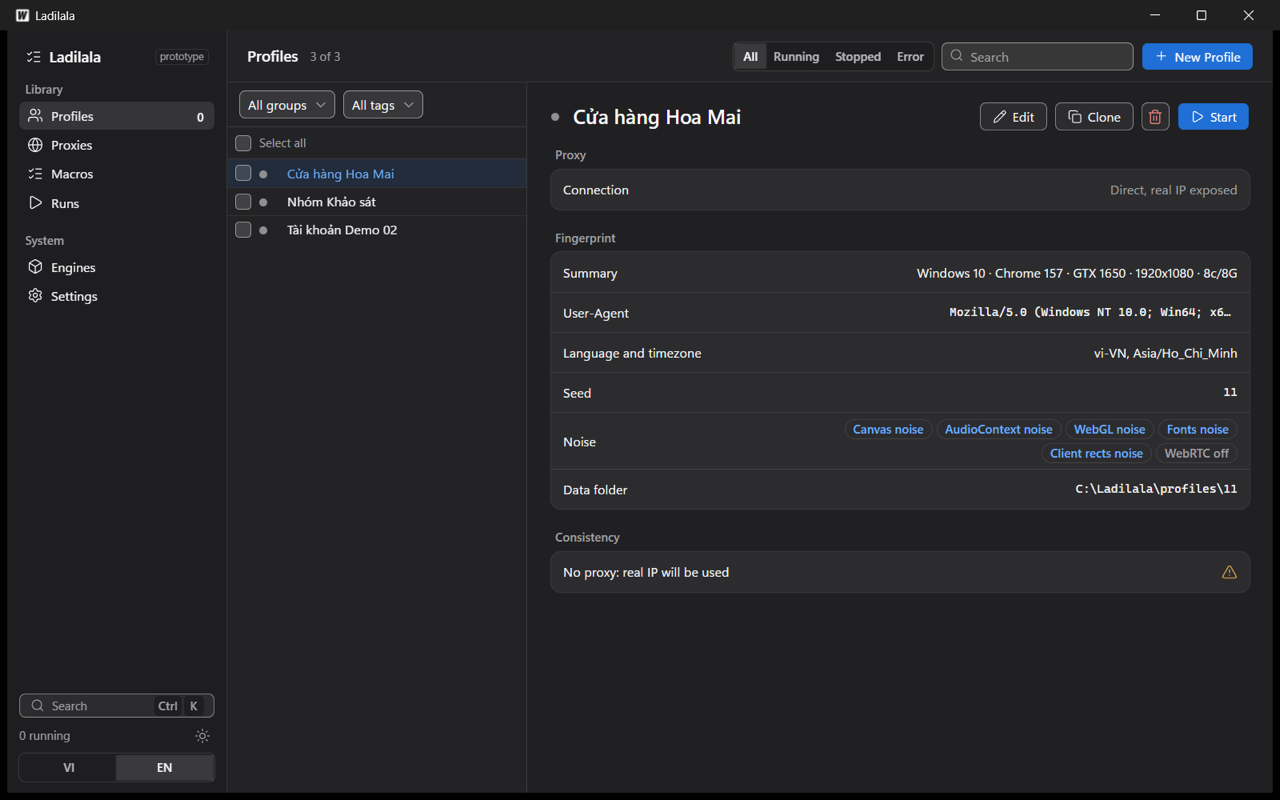
In Ladilala each profile is a separate browser with its own logins, its own proxy, its own identity (fingerprint) and its own browser engine. Profiles do not mix, so five open profiles are five independent browsers, each holding the session of one account.
| Part | What it means for you |
|---|---|
| Saved logins | Reopen the profile and you are in the right account, not another one. |
| Proxy | Each profile can reach the internet through its own proxy. |
| Browser fingerprint | Each profile has its own browser identity. |
| Browser engine | Choose the engine per profile, per group or as the default. |
Browser engine: chosen per profile
According to the project docs, Ladilala can download engines such as Chrome, Edge, Chrome for Testing and fingerprint-chromium, and you pick one per profile, per group or as the default. The doc on the fingerprint-chromium engine says only one build is offered, it is about 10 Chromium versions behind current Chrome, and it misses the security fixes of those versions. So use it only for profiles that need it, and do not open untrusted pages with that profile.
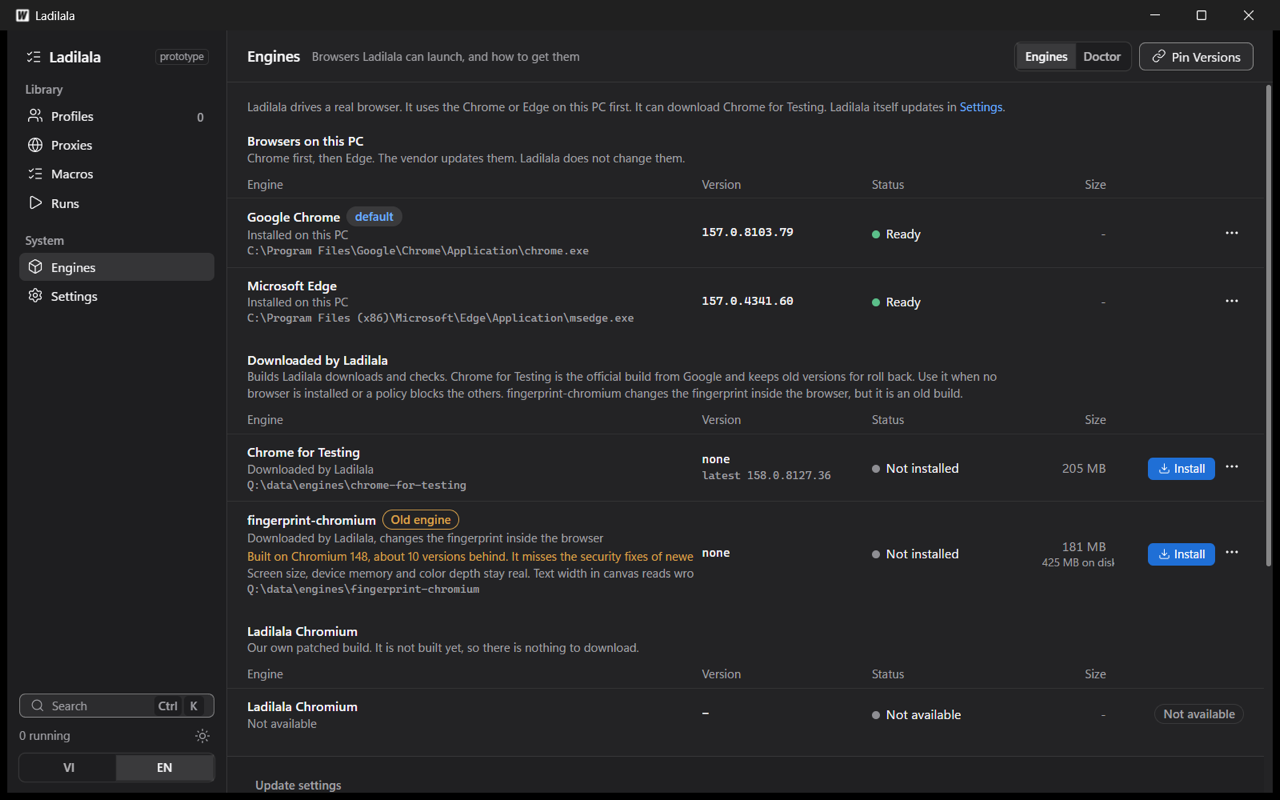
The docs also list a few known bugs in that engine that a page can see. Ladilala logs them at each launch instead of hiding them.
When a shop or team needs this
Separate profiles are worth it when you hold several legitimate accounts of your own, or of clients who gave you the job:
- A shop with several storefronts or selling pages, one account each.
- A marketing or support team managing the accounts of several clients.
- Staff on shifts sharing one machine who each need to open their own account.
- An operator who must keep work accounts apart from personal ones on the same computer.
If you have a single account per service, you do not need Ladilala; the profiles built into Chrome or Edge are enough.
How to keep profiles tidy
A few habits stop the profile list becoming a mess:
- Name profiles with a fixed pattern, for example shop, marketplace, then owner.
- Group profiles of the same client or shop so they share an engine setting.
- Use one profile for one account and one purpose.
- Use proxies you have the right to use, and record which proxy belongs to which profile.
- When you need to repeat a task across profiles, use a web macro instead of doing each one by hand.
Limits and risks
Separate profiles help you organise accounts, but they are not a shield. The project docs are clear: no tool can promise a website will not detect automation or multiple accounts, and many sites forbid both in their terms. You are responsible for each site's terms, and you should use it for legitimate work.
- Do not use it to dodge bans, commit fraud or fake engagement.
- Ladilala does not solve CAPTCHAs.
- Tested on Windows 11 only; Windows 10 is not tested.